

Latest Version
wiiznokes
Security
Linux
Free
io.github.wiiznokes.fan-control
Report a Problem
More About Fan Control
Managing hardware temperatures is critical for system stability, and the Fan Control Linux utility offers a streamlined, hands-on approach to thermal management. Developed by wiiznokes, this utility puts you in direct command of your system's cooling behavior, allowing you to move away from rigid default hardware profiles and tailor your fan curves to your specific workload demands.
What Can You Do with the Fan Control Linux Utility?
Unlike automated system tools that operate behind the scenes, this application provides an interactive interface to configure exactly how and when your cooling hardware responds. By utilizing real-time data, you can build a system that balances silent operation during light tasks with aggressive cooling during intensive processing cycles.
Key Features and Capabilities
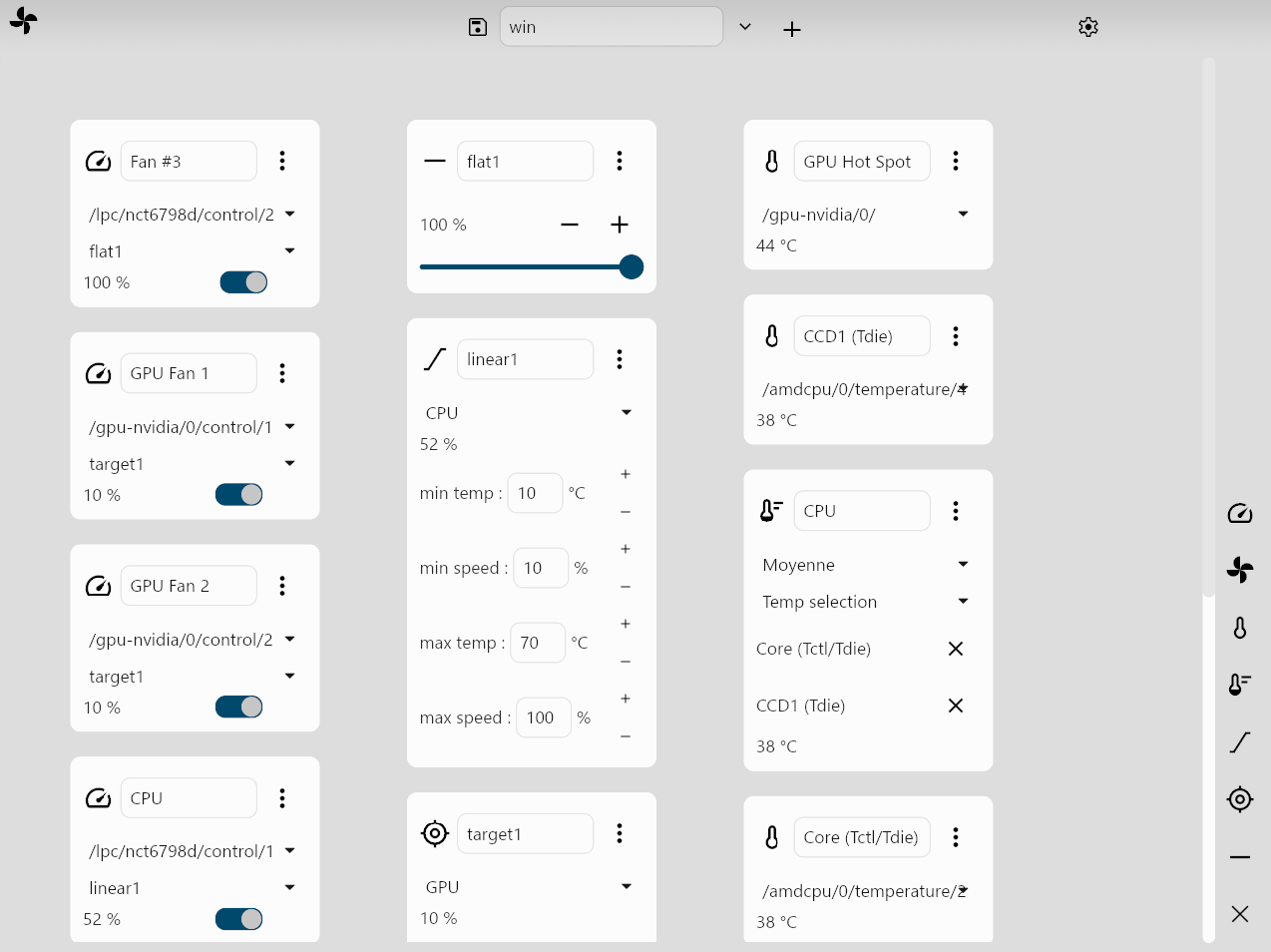
- Real-Time Sensor Monitoring: Keep a close eye on your system's thermal metrics with instant feedback from integrated hardware sensors.
- Custom Behavior Profiles: Define specific fan behaviors based on your unique hardware needs and operational preferences.
- Configuration Management: Save multiple cooling profiles easily by naming your setup and storing it for quick access later.
- Granular Control: Select specific fans within the control column, pair them with custom behaviors, and toggle them active instantly.
Who Is This Application For?
This software is highly suited for Linux users who want complete agency over their hardware's acoustic and thermal footprint. Whether you are seeking to reduce fan noise in a quiet office environment or maximize airflow during heavy rendering or compiling tasks, it offers the necessary levers to optimize your environment. Note that after the initial setup, you will need to configure a udev rule on your system to grant the application correct hardware access; details for this step are provided on the developer's official project page.
Optimizing Your System Cooling
If you are ready to take control of your hardware's thermal performance, the Fan Control Linux utility provides the direct, no-nonsense interface you need. To learn more about the project, view the source code, or install the application on your Linux system, visit the official page on Flathub.
Rate the App
User Reviews






Popular Apps










Editor's Choice